Friday, 28 June 2013

SpellingCity

SpellingCity is my favorite site for Spelling & Vocabulary.  This is an ideal site for educators to sign up their students and create, import, or search for word lists to use for Spelling practice.  These lists can then be used in fun educational games to help strengthen and reinforce Spelling & Vocabulary.  Also, there is a free iOS & Android app for mobile learning.  Finally, there are lots of educational resources for educators such as printables, videos, exercises, and more.

I highly recommend checking out SpellingCity by clicking here!!!

*SpellingCity is an advertiser of Technology Tidbits.

Thursday, 27 June 2013

Edshelf

Edshelf one of my long time favorite sites for curating the web has just come out w/ some noteworthy updates.

A user can now rearrange their collection simply by clicking the edit button and then drag-n-drop their tools icon in the order they want it in (think the way a pin is rearranged in Pinterest).  Also, a person can add "tags' to their collections which is a ideal for organizing and curating a list.  Another neat feature is the ability to filter your collections through these "tags".  Finally, a user now has the ability to add notes to a tool and either set it to public/private.

I highly recommend checking out Edshelf by clicking here!!!

buzzMath

buzzMath is an excellent iPad app for Middle School Math that I found out about on Edshelf.  This app has over 2800 problems based on all different areas of Math such as: Geometry, Algebra, Fractions, and more.  Also, these problems have detailed solutions as well as aligned to Common Core Standards.  Best of all, a teacher can download the app, create a class/school account and then distribute to their students via a classroom code.

I highly recommend checking out buzzMath by clicking
here!!!

For other great apps for Math check out Math File Folder Games.

For my Pinterest board on Educational iOS Apps click here.
For my Edshelf collection on Educational iOS Apps click here.

Wednesday, 26 June 2013

Energy for Life

Energy for Life is an excellent iPad app in the series of Science/Biology apps from iDi Creative.  This is a stunningly beautiful looking interactive app that focuses on the: digestive, circulatory, and respiratory system.  Students learn in an engaging way as the watch vivid animations and interact w/ the  different system inside a dinosaurs body.

I highly recommend checking out Energy for Life by clicking here!!!

Others from iDi Creative....

  • Experience Life - A wonderful iPad app dealing w/ the 5 senses of the body, nervous system, and musculoskeletal system.
  • Miracle of Life - The best iPad app around for teaching students about the fertilization and different stages of the human growth cycle.


Biteslide

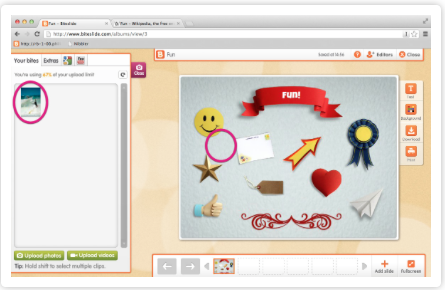
Biteslide is easily one of my favorite Web 2.0 sites for creating dynamic presentations (known as slide books) in a safe environment.  Biteslide is a fantastic site for creating presentations that can contain all types of media, such as: video, images, text, links and more.  Once a presentation is completed it can then be downloaded, printed out, or best of all embedded into another site/blog.  This is an ideal site to engage students, use for any subject, and great for educators as no student email is required (teachers create the student accounts).

I highly recommend checking out Biteslide by clicking here!!!

*Biteslide is an advertiser of Technology Tidbits.

Tuesday, 25 June 2013

Free Tiiu Pix

Free Tiiu Pix is an excellent resource for educators for finding free school appropriate images.  Not only is this a great place to find safe images in a wide variety of areas, there are also educational slideshows that teachers/students can download.

I highly recommend checking out Free Tiiu Pix by clicking here!!

For a more detailed review check out Free Technology 4 Teachers.

For my Pinterest board on Educational Images click here.

GoClass

GoClass is a wonderful new (beta) site/app for flipping a classroom.  This is a fantastic solution for educators to be able to manage their classes/students and create dynamic lessons that can be shared on mobile devices.  Students can login to a session on their mobile device and then follow the lesson following the "show-explain-ask" method.  Teachers can then get instant real-time feedback on student engagement and learning as well as attendance.

I highly recommend checking out GoClass by clicking here!!!

Also, be sure to check them out at ISTE going on right now at booth #2266

*GoClass is an advertiser of Technology Tidbits.